Equalizer & Extra Bass Booster
- 4.9
- Rating
- 500.00K
- Installs
- Free
- Price
 Analysis by App-foxy
I spent time with Equalizer & Extra Bass Booster as a practical music and audio tool rather than treating it as a magic fix for every speaker or pair of headphones. It is an Android app from Echo Player - Music, MP3 & Equalizer, placed in the Music & Audio category, and its main purpose is straightforward: give your listening setup more control over tone, bass, and overall impact.
The first thing worth clarifying is the cost. The app is free, so trying it does not require a purchase decision or a paid commitment. That makes the evaluation fairly simple: the question is whether its sound-shaping controls are useful enough to justify keeping another audio utility on your phone. In my experience, that answer depends heavily on your headphones, your music source, and how much you enjoy adjusting sound instead of leaving everything at the default setting.
What the app is like in everyday listening
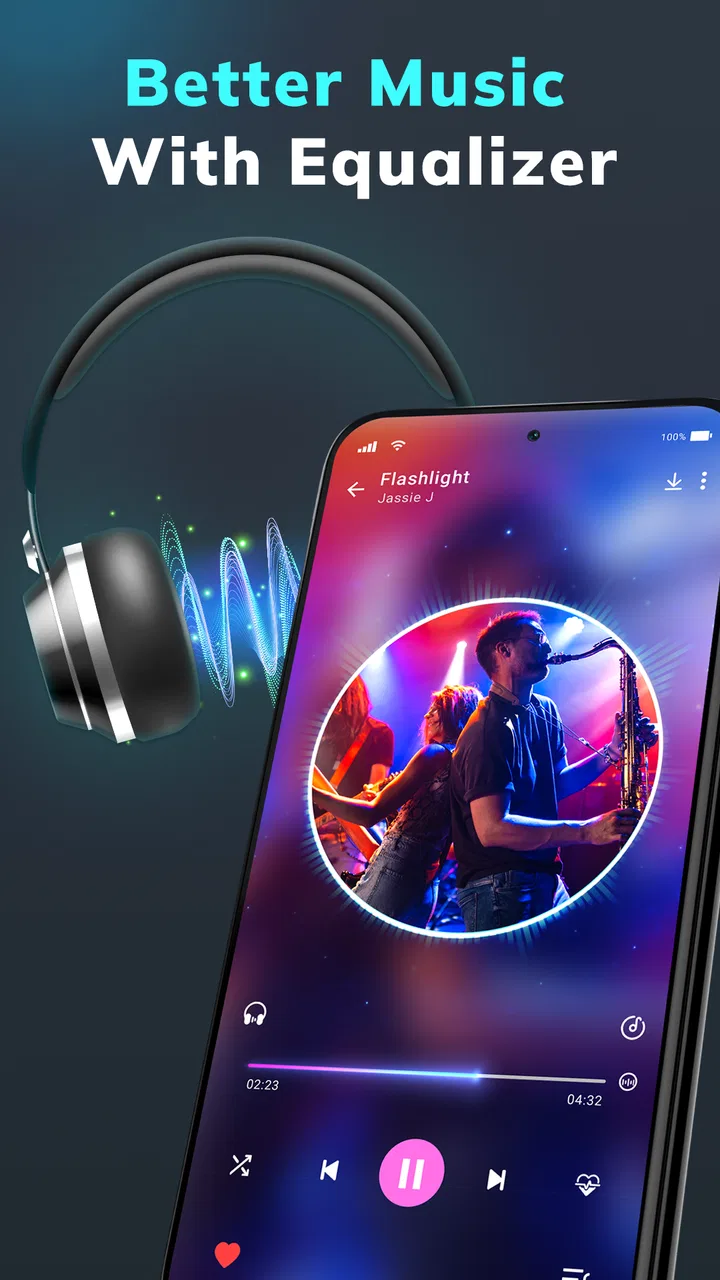
At its core, this is an equalizer and bass booster for Android. An equalizer changes the balance between different parts of the audio spectrum, while a bass control emphasizes lower frequencies. That distinction matters because boosting bass is not the same as improving every part of a song. A track can sound fuller with a modest low-end adjustment, but too much emphasis can make vocals less clear and drums lose their shape.
You May Also Like

 Blood Strike: 2.5 Anniversary
Blood Strike’s Loadouts Turn Every Drop Into a Tactical Gamble
A close look at Blood Strike’s custom loadouts: how fast access to signature weapons reshapes its battle royale rhythm, rewards preparation, and narrows the gap between fights.

 Pandora - Music & Podcasts
Pandora’s Music Is Easy to Start, but Harder to Recover
Pandora’s strength is its low-effort path from a seed to a station. Its weak spot is how much confidence it asks you to place in connection, setup, and quiet recovery.

 8 Ball Pool
 Is Built on Rivalries, Rematches, and Routine
A close look at the rivalries, rematches, shared routines, and unanswered safety questions that turn a quick pool match into a persistent mobile community.

 Samsung Music
’s Quiet Strength Is Playing What You Already Own
Its reach comes less from spectacle than from dependable access to a personal library. That simplicity is both the app’s strongest retention engine and its ceiling.

 AccuWeather: Weather Radar
AccuWeather Review: A Quick, Clear Forecast for Everyday Decisions
For everyday plans, the best forecast is the one you can understand quickly. AccuWeather makes rain timing, radar, and local conditions easy to act on, with a few trade-offs.

 Hill Climb Racing
Why Hill Climb Racing Still Turns Crashes Into One More Run
A tiny car, a bumpy hill and one more upgrade: Hill Climb Racing keeps resurfacing because its simple chaos makes every near-miss feel personal.
More From Our News Desk
View All News


I found the app most interesting when I used it as a correction tool. Some earbuds sound thin at lower volume, certain phone speakers lack body, and older headphones can make voices seem distant. A small adjustment can make those listening setups more comfortable. The useful word here is “small.” Turning every control upward may create a louder or heavier sound, but louder is not automatically better, and extra bass can quickly become muddy.
The developer presents the product as an audio enhancer, and the store’s short description identifies it simply as “Equalizer & Bass Booster.” That concise positioning is accurate. This is not a replacement for a full music streaming service, a music library manager, or a recording studio. I would approach it as a layer between your Android device and your listening equipment, intended to let you shape the output to suit your ears.
Free access changes the decision
Because the listed price is free, I can recommend testing it without framing the decision around subscription value or an upfront purchase. That is important for an audio utility: sound preferences are personal, and an equalizer that helps one person may annoy another. You can judge the result with your own headphones and favorite tracks rather than relying on a promise that the same setting will work everywhere.
Free does not automatically mean essential, though. The app still needs to earn its place on your phone by making listening more pleasant or more flexible. If your current music player already offers an equalizer that you understand and like, installing another tool may add little. On the other hand, if your phone’s normal audio controls feel limited, the free entry point makes this a low-risk experiment.
The app is marked for Everyone, which fits its straightforward purpose. It is also listed for Android devices running version 5.0 or later, giving it broad compatibility with older Android hardware as well as newer phones. I would still judge the experience on the particular device and headphones you use, because audio behavior can vary between hardware combinations even when the operating-system requirement is met.
Controls are only useful when used carefully
A good first test is to choose three familiar tracks: one with clear vocals, one with a strong rhythm section, and one that already sounds well balanced. Listen at your usual volume before changing anything. Then make one adjustment at a time. This simple process is more reliable than immediately selecting an aggressive bass-heavy sound, because it shows whether the change improves the music or merely makes it more forceful.
One non-obvious benefit of this approach is that it helps separate equipment problems from recording differences. If only one album sounds weak, the recording or its mix may be the reason. If every song sounds thin through the same earbuds, an equalizer adjustment may help. I would not use the app to disguise a damaged speaker, a loose connection, or headphones that are physically uncomfortable. Software can alter tone, but it cannot repair hardware.
There is also a practical battery and volume consideration. Heavy processing and high output levels are not ideal habits for long listening sessions, particularly on a phone that is already working hard. I would keep the adjustment moderate, check the device’s volume after enabling a boost, and avoid assuming that a stronger setting is a safer or more accurate one. Protecting your hearing matters more than making a small phone speaker sound dramatically louder.
Where it can make a real difference
Imagine listening to a podcast or a live recording on inexpensive earbuds during a commute. The voices may be understandable, but the sound can feel narrow and tiring. A gentle tonal change may give speech more presence without turning the entire output into a bass effect. For music, a restrained low-end boost can make electronic tracks, hip-hop, or drum-focused recordings feel more satisfying when the headphones are naturally light in that area.
Another useful scenario is switching between listening environments. At home, over-ear headphones may already provide plenty of bass, while small earbuds may sound less full. A setting that works for one pair can be a poor match for another. I would treat the app as a reason to create a habit of checking your setup rather than as a single permanent setting. The best adjustment for a quiet room may sound excessive on a crowded bus, where outside noise already changes what you perceive.
It can also help people who are sensitive to a particular sound balance. Some listeners prefer warmer audio, while others want vocals and instruments to remain more forward. The appeal here is personal control. Instead of accepting the default output from the phone, you can tune the presentation toward your own preference. That is valuable even when the change is subtle.
The strongest value is not maximum bass; it is the ability to make a specific phone-and-headphone combination feel more suitable. That is a narrower promise, but it is a more realistic one. A good adjustment should let you listen comfortably at a sensible volume and preserve detail in the music.
Trade-offs I would consider before keeping it
The first trade-off is that audio enhancement can reduce clarity when pushed too far. Bass occupies a large part of the sound’s energy, so an aggressive boost may cover vocals, guitar detail, or quieter percussion. This is especially noticeable in busy mixes. If you enjoy hearing individual instruments, I would be conservative and compare the processed sound with the original regularly.
The second trade-off is consistency. An equalizer setting is not universal. A profile that sounds excellent through one pair of earbuds may be dull, harsh, or overpowering through another. Even the same headphones can behave differently depending on the phone, the music player, and the recording. That means the app rewards a little patience, but it may frustrate anyone who wants to select one preset and never think about audio again.
A third issue is that an enhancer cannot create detail that is missing from a poor recording. It may change the tonal balance, but it will not turn a compressed file into a high-resolution master or make a tiny speaker reproduce deep bass like a larger system. If your expectations are based on a dramatic transformation, you may be disappointed. I see it as refinement, not reconstruction.
There is also a workflow question. Some music players include their own sound controls, and Android devices may have manufacturer-specific audio features. Using several layers of processing can make it difficult to identify which setting is responsible for a change. My advice is to disable competing adjustments while testing this app, then add them back one at a time only if you have a clear reason. Otherwise, the final sound can become unpredictable.
How it compares with usual alternatives
The most obvious alternative is the equalizer built into a music player. That option can be more convenient because it stays close to the songs you play and may offer settings designed for that particular player. If you only listen inside one app and its controls already meet your needs, a separate enhancer may not add enough value to justify another step in your routine.
A device maker’s audio panel is another alternative. System-level controls can be convenient when they are available, especially for people who want one adjustment to affect several audio sources. The advantage of a dedicated app is the possibility of focusing specifically on audio shaping rather than navigating a broader phone settings menu. The disadvantage is that the result may depend on how Android and other apps handle audio processing in the background.
Hardware is the more fundamental alternative. Better-fitting earbuds, headphones with a more balanced tuning, or a small speaker designed for fuller sound can produce a larger improvement than software alone. If your equipment is uncomfortable, distorts at normal volume, or lacks basic clarity, I would spend attention there first. Equalizer & Extra Bass Booster makes more sense when the hardware is usable but its tonal balance is not quite right.
Compared with leaving everything untouched, the app offers more control at no listed cost. Compared with a specialist audio setup, it is simpler and less predictable. That is the fair position for it: a convenient adjustment tool, not a substitute for choosing good headphones or maintaining a well-organized music system.
Who is likely to get the most from it
I think this app suits Android listeners who regularly move between headphones, earbuds, and phone speakers. It is also a sensible choice for people who enjoy experimenting with sound but do not want to learn complicated audio production software. The interface and purpose are easier to understand when your goal is simply “a little more warmth” or “more presence,” rather than detailed mixing and mastering.
It may be particularly useful for someone with older headphones that still work well but sound slightly weak in the low end. A modest boost could extend their useful life without immediately replacing them. Likewise, listeners who find their phone speaker too thin for casual background music may appreciate a fuller presentation, provided they keep expectations realistic about the speaker’s physical limits.
I would be more cautious about recommending it to someone who already owns carefully tuned headphones and prefers an uncolored, accurate presentation. If you value the sound exactly as the artist or engineer intended, additional processing may be a distraction. Audiophiles who already use a trusted system-wide equalizer may also find the app redundant.
It is not the right choice for someone looking for a music catalog, offline song downloads, playlist discovery, or recording tools. Its role is narrower. The app can shape audio that is already playing, but it should not be mistaken for an all-in-one music service. Knowing that boundary prevents a lot of disappointment.
What its public reception suggests
The app has an average rating of 4.9 from around 7.7 thousand ratings, with over 500 thousand installs. Those figures indicate that many Android users have found the basic idea worthwhile, although a rating cannot predict how it will behave with your particular phone and headphones. Audio is unusually subjective, so I would treat the strong reception as encouragement to try it, not as proof that every listener will prefer boosted sound.
It was released on April 28, 2024, and the current listed version is 1.2.2. That gives readers a useful point of reference when checking their installed build. If the controls look different after an update, the general principle remains the same: test changes against familiar tracks, avoid stacking multiple enhancers, and return to a neutral setting when judging whether an adjustment is genuinely helping.
The developer name, Echo Player - Music, MP3 & Equalizer, makes the app’s focus clear. I would still judge it by the listening result rather than by its name or its rating. The best test is quick and personal: use the same song, the same volume, and the same headphones with the effect on and off. If you can hear more comfortably without losing clarity, it has earned a place in your setup.
My verdict for a free audio enhancer
Equalizer & Extra Bass Booster is worth trying if you want a simple way to adjust Android audio and your current output feels too thin or flat. Its free price removes the biggest barrier, its Android compatibility reaches back to version 5.0, and its purpose is clear enough for everyday users. I especially like its potential as a small correction for mismatched headphones rather than as a tool for extreme sound effects.
I would skip it if your music player already provides an equalizer you trust, if you prefer an untouched signal, or if you expect software to overcome weak hardware. The app cannot guarantee the same result across every device, and excessive bass can make music less detailed instead of more enjoyable. Those are not reasons to reject it; they are reasons to use it with restraint.
My final recommendation is to install it, begin from a neutral position, and make changes slowly with several types of audio. Keep the setting that improves comfort and balance, not the one that simply sounds loudest in the first few seconds. For Android listeners who want free, hands-on control over their everyday music, this is a useful addition. For listeners already satisfied with their equipment and player, it is optional rather than necessary.
FAQs for Equalizer & Extra Bass Booster
01What is Equalizer & Extra Bass Booster and how does it work?
Equalizer & Extra Bass Booster is an audio enhancement app designed to improve the sound quality of your music and media. It provides a range of audio filters and presets that allow you to customize the audio output on your device. By adjusting the equalizer settings, users can enhance bass, treble, and other sound frequencies to suit their personal preferences.
02Is Equalizer & Extra Bass Booster compatible with all music apps?
Equalizer & Extra Bass Booster is compatible with most music and media apps on Android and iOS. However, performance may vary depending on the app's integration capabilities. It works best with popular music players and streaming services, but checking compatibility with your specific app is always recommended for optimal results.
03Does the app consume a lot of battery power?
While Equalizer & Extra Bass Booster enhances audio quality, it is designed to be efficient with battery usage. However, like any app that runs in the background, it may slightly increase battery consumption. Users should monitor their device’s battery life and adjust settings accordingly to balance performance with power usage.
04Is there a free version of Equalizer & Extra Bass Booster available?
Yes, Equalizer & Extra Bass Booster offers a free version with essential features for basic audio enhancement. For users seeking more advanced options and an ad-free experience, a premium version is available for purchase. This upgrade provides additional presets and customization tools to further enhance audio quality.
05How user-friendly is the interface of Equalizer & Extra Bass Booster?
The app boasts a user-friendly interface, designed to be intuitive for both beginners and experienced users. With easy-to-navigate menus and clearly labeled controls, adjusting audio settings is straightforward. The presets provide quick enhancements, while advanced users can dive deeper into manual adjustments for a personalized experience.
Pros
- Enhances audio quality significantly.
- User-friendly interface for easy control.
- Multiple presets for different music genres.
- Customizable equalizer settings available.
- Supports a wide range of audio formats.
Cons
- Contains ads that can be intrusive.
- Limited features in free version.
- May drain battery faster when active.
- Occasional crashes on older devices.
- Requires in-app purchases for premium features.

Equalizer & Extra Bass Booster
Gallery